

Hostinger can be a good starting point, but the needs of a website can change quickly. Renewal costs, resource limits, speed, security, and upgrade options become more important as traffic and workloads increase.
A personal blog may run comfortably on shared hosting, while an online store, business website, or application may need more CPU, RAM, faster storage, caching, or server control.
This comparison looks at real hosting value rather than price alone, covering performance, resources, security, pricing, support, and scalability to help you choose a suitable Hostinger alternative.
Why Look Beyond Hostinger?
A switch becomes worth considering when your existing plan no longer fits your website or its long term costs. The reason could be limited resources, higher renewal pricing, performance requirements, or the need for a stronger upgrade path.
| What May Prompt a Switch | What to Compare | Why It Matters |
| Higher Costs | Introductory and renewal pricing | Helps estimate long-term spending |
| Resource Limits | CPU, RAM, storage, bandwidth | Shows how much workload the plan can handle |
| Performance Needs | NVMe/SSD, caching, CDN | Can support faster content delivery |
| Security Requirements | SSL, backups, malware, DDoS | Helps protect and recover website data |
| Future Expansion | VPS, VDS, dedicated servers | Provides options as resource needs grow |
The better alternative depends on the problem you need to solve. A low-cost plan may suit a new blog, while a growing website may benefit more from stronger resources and a practical upgrade path.
How We Assessed These Alternatives
We focused on features that can affect the hosting experience after a website goes live. Pricing was considered alongside resources, infrastructure, security, and scalability rather than treated as the only deciding factor.
| Evaluation Area | What We Checked | What It Helps Determine |
| Infrastructure | NVMe/SSD, LiteSpeed, caching, CDN | Performance capabilities |
| Resources | CPU, RAM, storage, bandwidth | Available hosting capacity |
| Security | SSL, backups, malware, DDoS | Protection and recovery options |
| Pricing | Starting price, renewal, billing period | Overall plan value |
| Scalability | VPS, VDS, dedicated options | Room for future growth |
Prices and promotional offers can differ by plan and billing period, so current provider pricing should be verified before purchasing.
The 5 Hostinger Alternatives to Consider
Hostinger is not the only option when your website needs something different. We compared five alternatives to help you understand their pricing, resources, performance, security, and upgrade options.
1. YouStable: Fast Storage With Upgrade Options\
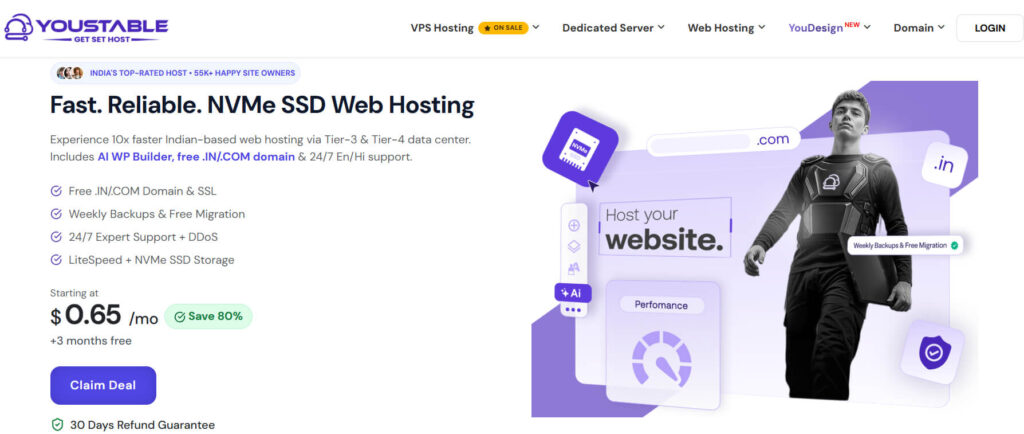
YouStable offers shared hosting, WordPress hosting, VPS, Windows VPS, dedicated servers, and domain services, covering both basic websites and higher-resource workloads.
Shared hosting starts at $0.62/month, while VPS starts at $3.67/month. The supplied offer shows up to 80% savings, with additional free months available on qualifying plans.
Overall, YouStable suits bloggers, WordPress users, Indian businesses, developers, and growing websites that want NVMe storage, LiteSpeed, migration assistance, and access to higher-resource hosting later.
What YouStable Includes
The available features cover performance, website management, security, and data recovery on applicable plans.
- NVMe SSD Storage: Provides fast access to website files and databases.
- LiteSpeed & LSCache: Helps deliver cached content efficiently.
- Free SSL: Encrypts connections between visitors and websites.
- Free Migration: Helps eligible users transfer existing websites.
- Weekly Backups: Provides recovery points for website data.
- DDoS Protection: Helps reduce the impact of malicious traffic.
Performance and Security Features
YouStable combines fast storage with LiteSpeed, caching, SSL, backups, and security tools to support everyday website workloads.
- NVMe Storage: Supports quick access to stored website data.
- LiteSpeed: Handles dynamic and cached website content efficiently.
- LSCache: Reduces repeated processing for eligible cached pages.
- SSL Protection: Encrypts data transferred between visitors and websites.
- Imunify360: Available on applicable plans for additional malware protection.
- DDoS Protection: Helps mitigate malicious traffic directed at hosting resources.
YouStable Plans
| Plan | Starting Price | Key Resources | Suitable For |
| Shared Hosting | $0.62/mo | 50 GB NVMe, 1 website, unmetered bandwidth | Blogs and small websites |
| VPS Hosting | $3.67/mo | 1 CPU, 4 GB RAM, 50 GB NVMe, 4 TB bandwidth | Developers and growing sites |
| Windows VPS | $19.99/mo | 2-core CPU, 4 GB RAM, 60 GB NVMe, 1 TB bandwidth | Windows applications |
| Dedicated Server | $77.99/mo | 4 CPU, 32 GB DDR4, 480 GB SSD, 10 TB bandwidth | High-resource workloads |
The supplied offer shows up to 80% savings. Shared Hosting includes 3 extra months free, while VPS, Windows VPS, and Dedicated Server include 2 extra months free. The displayed plans also state renewal at the same price.
Who Is YouStable Best For?
YouStable is a good fit for users who want a low-cost starting point with a clear path toward VPS, Windows VPS, or dedicated hosting as their website becomes more demanding.
2. HostPapa: Straightforward Hosting for Businesses
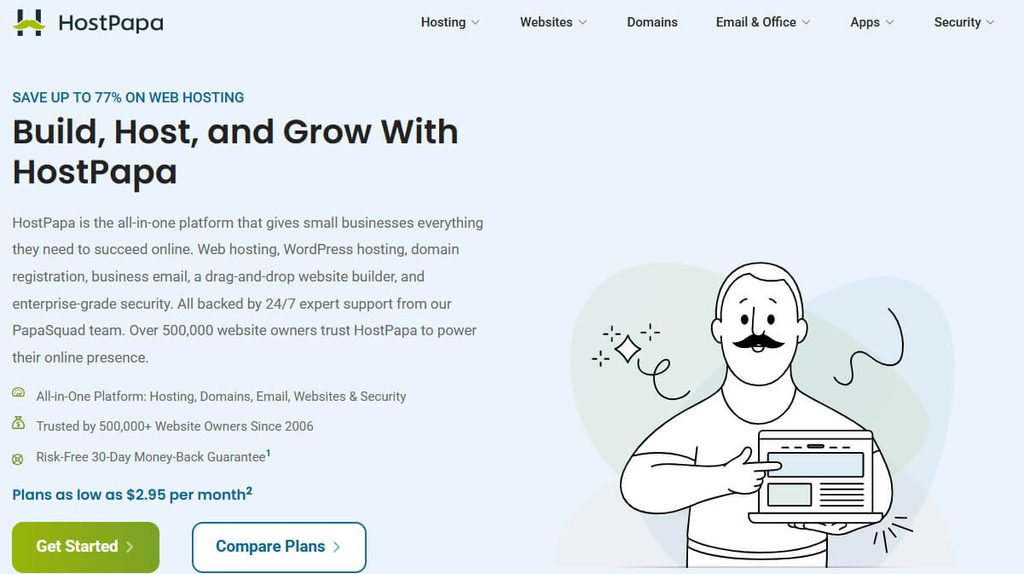
HostPapa offers shared hosting, WordPress hosting, VPS, and dedicated servers, giving small websites a simple starting point with options for higher-resource workloads.
Its supplied pricing starts at $2.95/month for Web Hosting and WordPress Hosting, while VPS and dedicated hosting are available for websites that need additional capacity.
Overall, HostPapa is suited to beginners, small businesses, WordPress users, and service websites looking for hosting, business email, migration assistance, and security features.
Features for Everyday Website Management
HostPapa combines standard hosting tools with features useful for business websites.
- Free SSL: Encrypts connections between visitors and websites.
- Website Migration: Helps eligible customers move existing websites.
- CDN Support: Helps deliver cached content closer to visitors.
- Business Email: Supports professional email addresses using your domain.
- Malware Scanning: Helps identify potentially harmful website files.
- Multiple Hosting Types: Includes shared, WordPress, VPS, and dedicated hosting.
Performance and Account Protection
HostPapa uses SSD-based hosting with caching and CDN support. Applicable plans also include security features such as malware scanning, firewall protection, and brute-force protection.
These features can support routine website performance and account security, although the exact features available depend on the selected plan.
HostPapa Pricing
| Plan | Starting Price | Hosting Type | Suitable For |
| Web Hosting | $2.95/mo | Shared Hosting | Small websites |
| WordPress Hosting | $2.95/mo | WordPress Hosting | WordPress websites |
| VPS Hosting | $2.95 | VPS | Growing businesses |
| Dedicated Hosting | $59.95/mo | Dedicated Server | High-resource websites |
The supplied comparison provides these prices, but promotional rates, billing periods, renewal pricing, and included resources can change. Check the current plan before purchasing.
Who Should Consider HostPapa?
HostPapa makes sense for small businesses, beginners, WordPress users, and service-based websites that want straightforward hosting with business email, migration assistance, security tools, and access to higher-resource hosting.
3. BigRock: cPanel Hosting With Domain Services

BigRock combines domain registration with Linux and Windows hosting, WordPress hosting, VPS, and dedicated servers for different website requirements.
Its Linux hosting plans use NVMe SSD storage and cPanel, while applicable packages include SSL, daily backups, email accounts, and malware scanning.
Overall, BigRock is a practical option for bloggers, small businesses, cPanel users, and domain buyers who prefer keeping hosting, domains, email, and website management together.
Tools for Managing Your Website
BigRock focuses on familiar hosting features that can simplify everyday website administration.
- NVMe SSD Storage: Provides fast access to website files and databases.
- cPanel: Offers a familiar dashboard for managing hosting services.
- Free SSL: Encrypts connections between visitors and websites.
- Daily Backups: Provides recovery points for website data.
- Email Accounts: Supports professional email addresses using your domain.
- Malware Scanning: Helps detect potentially harmful files on applicable plans.
Speed and Uptime Considerations
BigRock combines NVMe storage with Varnish caching, helping applicable websites handle frequently requested content more efficiently. SSL, backups, and malware scanning add further protection.
The supplied material also lists a 99.99% uptime guarantee. This is a provider-stated guarantee, and actual availability can depend on the hosting environment, website configuration, and other factors.
BigRock Plans and Pricing
| Plan | Price | Included Resources | Suitable For |
| Standard | ₹69/mo | 20 GB NVMe, 1 website, 10 email accounts | Small websites |
| Business | ₹99/mo | 50 GB NVMe, 3 websites, 50 email accounts | Growing businesses |
| Pro | ₹129/mo | 100 GB NVMe, 5 websites, 100 email accounts | Established websites |
| Ultimate | ₹149/mo | 200 GB NVMe, 10 websites, 200 email accounts | Larger websites |
The supplied comparison lists renewal pricing at ₹409/month for Standard, ₹649 for Business, ₹759 for Pro, and ₹989 for Ultimate. Current billing terms and promotional pricing should be checked before purchase.
Who Is BigRock a Good Fit For?
BigRock is useful for cPanel users, bloggers, small businesses, and domain-focused website owners who want hosting, domains, email, and website management services under one provider.
4. HostyCare: Hosting With Defined Resources

HostyCare offers shared hosting, WordPress, WooCommerce, VPS, cloud, and dedicated server solutions, covering different website workloads and resource requirements.
Its shared plans use NVMe storage with features such as LiteSpeed with CDN, SSL, migration assistance, backups, malware scanning, cPanel, and developer tools on applicable plans.
Overall, HostyCare is a useful choice for developers, WordPress users, and growing websites that want clearer CPU, RAM, PHP worker, storage, and I/O details before moving to VPS hosting.
Features That Stand Out
HostyCare combines performance tools with clearly defined resources across its shared hosting plans.
- NVMe SSD Storage: Provides fast access to website files and databases.
- LiteSpeed + CDN: Helps cache and deliver website content efficiently.
- Free Migration: Assists eligible customers with transferring websites.
- Malware Scanning: Checks website files for potentially harmful content.
- Developer Tools: Supports SSH, Git, terminal, Node.js, Python, and PHP.
- Managed WordPress: Provides tools for managing WordPress websites.
Resource Allocation Across Plans
HostyCare provides different CPU, RAM, PHP worker, storage, and I/O allocations across its shared plans. This makes it easier to judge whether a package has enough capacity for your website before moving to VPS.
- CPU: Higher plans provide more processing capacity.
- RAM: Memory increases across the higher tiers.
- PHP Workers: Higher limits allow more PHP processes to run concurrently.
- I/O: Larger allocations provide greater input/output capacity.
- NVMe Storage: Storage capacity increases with each higher plan.
- Backups: Provides recovery options for website data.
HostyCare Shared Hosting Prices
| Plan | Price | Resources | Suitable For |
| Basic | ₹59/mo | 25 GB NVMe, 1 CPU, 1 GB RAM | Personal websites |
| Starter | ₹129/mo | 50 GB NVMe, 2 CPU, 2 GB RAM | Small businesses |
| Business | ₹239/mo | 120 GB NVMe, 3 CPU, 3 GB RAM | Growing websites |
| Enterprise | ₹599/mo | 200 GB NVMe, 4 CPU, 8 GB RAM | Resource-heavy websites |
The supplied pricing is based on 36-month terms, with the plans stating “Buy & Renew at the Same.” Higher plans also provide increased PHP worker and I/O limits.
Who Should Choose HostyCare?
HostyCare is particularly relevant for developers, WordPress users, growing businesses, and resource-demanding websites that want clearer shared hosting specifications before upgrading to VPS.
5. UltaHost: Hosting That Scales With Your Needs

UltaHost provides shared hosting, WordPress hosting, VPS, VDS, and dedicated servers, giving website owners several infrastructure levels as their requirements increase.
Its supplied pricing starts at $4.39/month for Shared Starter, with VPS, VDS, and dedicated options available for websites that need more resources or server control.
Overall, UltaHost suits developers, WordPress users, growing businesses, and resource-intensive projects that want several hosting environments available from one provider.
Hosting Levels You Can Move Through
UltaHost covers different stages of website growth, from basic shared hosting to dedicated infrastructure.
- Shared Hosting: Provides an entry point for smaller websites.
- WordPress Hosting: Caters to WordPress-based websites.
- VPS Hosting: Provides more resources and control than shared hosting.
- VDS Hosting: Offers additional capacity for demanding workloads.
- Dedicated Servers: Provides dedicated infrastructure for high-resource projects.
- Migration Support: Helps users transfer an existing website.
Infrastructure for Larger Workloads
The availability of VPS, VDS, and dedicated hosting gives users options when shared hosting is no longer sufficient.
VPS can provide more resources and control, while VDS and dedicated servers are aimed at workloads that require greater capacity. The supplied material also lists security controls such as SSL and two-factor authentication.
UltaHost Pricing
| Plan | Price | Hosting Type | Suitable For |
| Shared Starter | $4.39/mo | Shared Hosting | New websites |
| VPS Basic | $6.89/mo | VPS | Growing websites |
| Power Plus | $47.29/mo | VDS | Resource-heavy projects |
| Ultra-X | $104.99/mo | Dedicated Hosting | High-resource workloads |
These figures come from the supplied comparison material. Promotional rates, billing periods, renewal pricing, and included resources can change, so current plan details should be verified before purchase.
Who Is UltaHost For?
UltaHost is a good fit for new websites, WordPress projects, developers, growing businesses, and demanding workloads that may need to move from shared hosting toward VPS, VDS, or dedicated infrastructure.
Which Hostinger Alternative Fits Your Needs?
The five providers are not identical, so the right choice depends on your website type, available budget, technical requirements, and how much room you need for growth.
| Your Main Need | Provider to Consider | Why |
| Affordable hosting with multiple upgrade paths | YouStable | Shared, VPS, Windows VPS, and dedicated options |
| Business-focused website hosting | HostPapa | Hosting, email, migration, and security features |
| Domain and cPanel management | BigRock | Hosting, domains, email, and cPanel |
| Clearly defined shared resources | HostyCare | CPU, RAM, PHP workers, storage, and I/O details |
| Multiple infrastructure levels | UltaHost | Shared, VPS, VDS, and dedicated hosting |
The comparison is based on the supplied provider information, including the listed pricing and features. Plan inclusions can differ, so the specific package should be checked before purchase.
YouStable vs HostPapa
YouStable is more suitable when you want a broader range of hosting environments and an upgrade path toward VPS or dedicated servers. HostPapa is better aligned with straightforward business and WordPress hosting needs.
BigRock vs HostyCare
BigRock is more appealing for users who want cPanel, domains, and email together. HostyCare is more useful when resource allocation such as CPU, RAM, PHP workers, and I/O is an important part of the decision.
YouStable vs UltaHost
Both offer several hosting levels, but their offerings differ. YouStable combines NVMe, LiteSpeed, India-focused hosting, and multiple server options, while UltaHost provides shared, VPS, VDS, and dedicated infrastructure.
HostPapa vs BigRock
HostPapa focuses more on small-business hosting, business email, migration, and security features. BigRock has a stronger appeal for users who prefer cPanel alongside domains, email, and hosting services.
What Should You Check Before Switching?
Do not move from Hostinger based only on the advertised monthly price. Check the complete plan and make sure its resources and features match your website.
Check These Before You Buy
- Renewal price: Compare the long-term cost, not only the introductory rate.
- CPU and RAM: Important for dynamic websites and heavier workloads.
- Storage: Check both capacity and whether the plan uses NVMe or SSD.
- Backups: Confirm frequency and whether restoration is included.
- Security: Look for SSL, malware scanning, DDoS protection, and firewalls.
- Migration: Check whether website migration assistance is included.
- Upgrade path: See whether VPS, VDS, or dedicated options are available.
A plan that looks cheaper initially may not provide better value if it has lower resources or substantially different renewal pricing.
FAQs
Which alternative is a good choice for WordPress websites?
All five providers offer options suitable for WordPress, but the better choice depends on your resource needs. YouStable, HostPapa, HostyCare, BigRock, and UltaHost each provide WordPress-related hosting options in the supplied comparison.
Which Hostinger alternative offers Windows VPS?
YouStable offers a Windows VPS option in the supplied pricing information. Its listed plan starts at $19.99/month with a 2-core CPU, 4 GB RAM, 60 GB NVMe storage, and 1 TB bandwidth.
Are these alternatives suitable for high-resource websites?
Yes, but the appropriate product differs by provider. YouStable and UltaHost offer dedicated server options, while HostPapa, HostyCare, and BigRock also provide higher-resource hosting products for websites that outgrow basic shared hosting.
What is more important, price or hosting resources?
Both matter, but resources should match your website’s workload. A very low price is less useful if the plan lacks enough CPU, RAM, storage, bandwidth, or upgrade flexibility for your project.
Conclusion
Hostinger can meet the needs of many websites, but comparing alternatives gives you more choices when pricing, resources, performance, or future growth become priorities.
YouStable remains the strongest all-round option in this comparison, with NVMe storage, LiteSpeed, migration assistance, India-focused hosting, and hosting options from shared plans through VPS, Windows VPS, and dedicated servers.
HostPapa fits small businesses, BigRock works well for cPanel and domain management, HostyCare stands out for clearly defined shared resources, and UltaHost provides several infrastructure levels. Compare the complete plan and long-term cost before making the switch.